
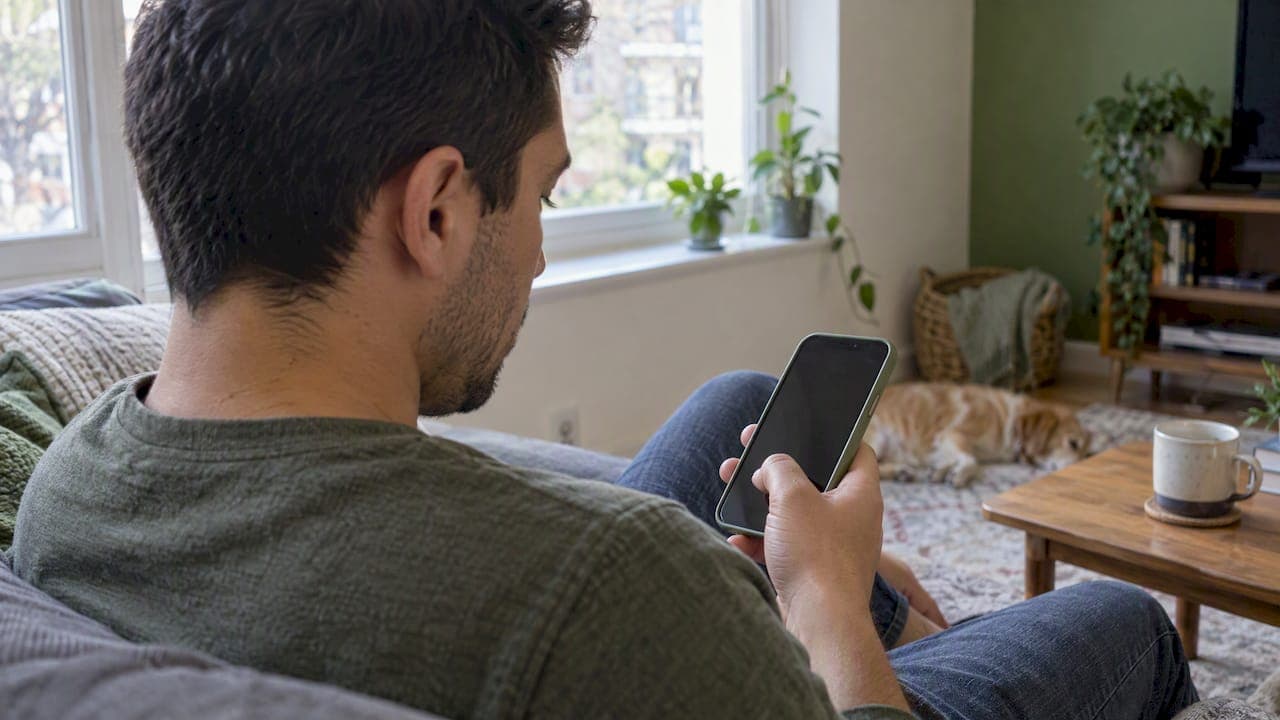
When a verification code does not arrive, the cause is almost always one of five things: a typo in the number, a weak connection, your phone filtering the text, the service throttling you for asking too often, or a number type the service refuses to text. Each has a fast check. Work through them in order, and stop tapping "resend" until you have, because repeated requests are a cause of their own.
This guide covers SMS codes first, then iPhone quirks, then email codes, then what to do when the number itself is the problem.
TL;DR
- Confirm the phone number and country code first. A single wrong digit is the most common reason a code never shows up.
- Check signal, Airplane mode and whether your phone blocks texts from unknown senders, then restart the device.
- Do not spam the resend button. Services cap requests, and some lock you out for hours.
- Some services refuse virtual, landline or recycled numbers. If a number is the problem, a different number or verification method is the fix.
- For email codes, check junk and filters, and confirm you typed the right address.
Table of Contents
- Start with the five-minute checks
- Why the text never arrives
- iPhone: two things specific to your phone
- Before you request another code
- When the email verification code is missing
- When the number itself is the problem
- Our perspective: delivery is a numbers game
- If you want a number that is not yours
- When to contact the service or your carrier
- A simple decision path
- FAQ
- Sources
Start with the five-minute checks
Before you blame the app, rule out the basics. Google's help page for phone verification lists the same core steps: confirm the number and country code, make sure your data or Wi-Fi works, turn off Airplane mode, and check you have cell signal. It also suggests requesting a call instead of a text, and restarting the device.
Here is the order that wastes the least time:
- Read the number back. Check every digit and the country code. TickTalk's troubleshooting guide starts here too, because it is the cheapest fix.
- Look at your signal. One bar of service can receive a call but delay a text. Move near a window or switch between Wi-Fi and mobile data.
- Turn Airplane mode off. Toggle it on and off once to force the phone to re-register on the network.
- Check your inbox. A messaging app with no storage left may silently drop new texts. Microsoft lists a full inbox or a malfunctioning messaging app among the reasons codes fail.
- Restart the phone. Xiaomi advises a reboot if the device has been running for a long time without one. It sounds too simple, and it works more often than it should.
- Try another method. If the service offers a voice call, an authenticator app or an email code, use it. Microsoft explicitly recommends trying another verification method when a code will not come through.
If you did all six and still see nothing, the cause is probably one of the less obvious ones below.
Why the text never arrives
The symptoms look identical (a blank screen, a spinning timer), but the causes differ. This table maps the usual suspects to the fix.
| Cause | What it looks like | What to try |
|---|---|---|
| Wrong number or country code | Code never arrives, no error | Re-enter the number carefully, include the country code |
| Weak signal or Airplane mode | Texts arrive late or in a batch | Move, toggle Airplane mode, restart |
| Blocked unknown senders | Other texts come through, codes do not | Check blocked and spam lists, and any filter for unknown senders |
| Full or glitching messaging app | Nothing new appears | Free up space, update or restart the app |
| Too many requests | Codes worked, then stopped | Wait, then request once |
| Unsupported number type | Service says number cannot be used | Use a standard mobile number or another method |
| Regional limits | Service has limited SMS in your region | Use another verification method |
Your phone is filtering the message
Verification texts usually come from short numbers or unfamiliar senders rather than a contact you know. Microsoft names blocked texts from unknown numbers as a reason codes do not arrive. Open your messaging app and look at the spam and blocked section. If you ever blocked a short number after a flood of marketing texts, a verification code from the same kind of sender may be sitting there. Also check any third-party security or call-blocking app, which can swallow messages without telling you.
The service thinks you are asking too much
This one catches careful people. Every time a code does not arrive, the natural move is to tap resend. But Microsoft warns that unusual activity or excessive requests can stop codes from being sent. Limits are real and specific: Xiaomi, for example, allows a maximum of five codes within 24 hours, after which you may wait up to a day. Indeed suggests that if your number might be blocked, you try verifying again once every 12 hours.

The practical rule: request once, wait a couple of minutes, fix something, then request again. Random retries only push you toward a lockout.
The number type is not accepted
Some services text only real mobile numbers on a physical SIM. LINE states that landlines, virtual phone numbers, data-only SIMs without text support, and Wi-Fi-only devices cannot be used for verification. Microsoft likewise lists use of a VOIP number as a reason codes fail. If the number you entered is a landline, a work extension or an internet-calling line, that is your answer.
The number has a history
Phone numbers get recycled. Viber explains that registration can fail if you inherit a number that automated systems previously flagged for spam. You did nothing wrong, but the number carries the reputation of its last owner. Your options are to try another verification method or use a different number.
The service is limited in your region
Microsoft notes that SMS may not be delivered in regions where its SMS services have limited functionality or are temporarily unavailable. Travelers and people on roaming plans run into this more than anyone. If you are abroad, try Wi-Fi calling, a voice call option, or an alternative method rather than waiting.
iPhone: two things specific to your phone
If you searched for why you are not getting verification texts on an iPhone, the generic advice still applies, but check two extras.
First, look at Text Replacement. LINE points out that on iOS, if a phone number is saved as a phrase in Text Replacement, it can cause verification errors, and the fix is to delete that entry in keyboard settings. It is an odd bug, and it is easy to check: Settings, General, Keyboard, Text Replacement.
Second, reset your network settings if everything else looks fine. That clears saved Wi-Fi networks and cellular configuration, so do it after the simpler steps, and note your Wi-Fi passwords first. Also check that Filter Unknown Senders in your Messages settings is not hiding the code in a separate list.
Before you request another code
A short pre-flight check saves you from the lockouts described above:
- Did you wait at least a couple of minutes? Delays happen, and a second request can invalidate the first code, so the one that finally arrives might not work.
- Is the number typed exactly as the service expects it?
- Have you already requested several codes today? If so, stop and wait. Use the 12-hour rhythm Indeed suggests as a sensible default when the service gives no guidance.
- Can you switch to a call, an authenticator app or email?
Some apps handle this without texts at all. Viber, for instance, uses Flash Calls in many regions: you get a call and enter the last four digits of the calling number as your code. If a call comes in and nobody speaks, that may be the verification itself, so do not ignore it.
When the email verification code is missing
Email codes fail for different reasons, and the fixes are quicker.
- Check junk and spam. Microsoft's advice is to look in the junk folder and to trust the sender address @accountprotection.microsoft.com. Other services use their own sender domains, so search your whole mailbox for the service's name.
- Check filters and rules. An old rule that archives or deletes mail from unfamiliar senders will eat codes.
- Confirm the address. Make sure it is the primary alias or an address you added for sign-in verification. A typo or an unlisted address gets no mail.
- Check storage. A full mailbox bounces new mail.
- Add the sender as a contact and request one new code.
If you often sign up for things and your real inbox fills with promotions after every verification, a separate address for sign-ups is the cleaner approach. Our guide on verifying with a temporary inbox instead of your real one explains how codes and links reach you that way.
When the number itself is the problem
Sometimes you have done everything right and the number is simply not wanted. Maybe it is a virtual line the service rejects, a recycled number with a bad history, or your own number that you would rather not hand to yet another app that will sell it to marketers.
In those cases the choice is between three paths:
- Use another verification method the service offers, such as an authenticator app or email.
- Use a different number that the service accepts and that has a good delivery record for that service.
- Skip handing over your personal number by using a number meant for sign-up codes. We cover what works and what to avoid in signing up without a phone number.
Be honest about the trade-offs. Some platforms block virtual numbers outright, as the LINE and Microsoft pages above show. A temporary number is not a magic key to every service, and it is not for accounts you need to recover years later. It is for sign-ups where you want to keep your own number private, and where you only need the code once.
Our perspective: delivery is a numbers game
We built vSMS around one observation: most failed verifications are not user error. They are a mismatch between a number and a service. A number that works smoothly for one app can be flagged by another, and the same number can behave differently depending on its country.
That is why we do three things differently. We rate delivery by country, so you can pick the options that actually get codes through instead of guessing. We pick numbers with delivery success in mind. And if a code does not arrive, the credits come back automatically, so a failed attempt does not cost you.
For email, we offer mainstream domains, since many services block throwaway domains that they recognize on sight. Mainstream domains are less likely to be blocked, which means fewer dead ends.
One piece of advice that holds whichever tool you use: treat the verification step as a short, one-off task. Request once, wait, and change something before you try again. The people who get locked out are almost always the ones who tapped resend ten times in a minute.
— Adil
If you want a number that is not yours
If your own number keeps failing, or you would rather not share it, our temp number service gives you a number for receiving the code, on the web or in the iPhone app. You pay with credits as you go, and you get the credits back automatically if the code does not arrive.

For sign-ups that ask for an email instead, temp mail does the same job without exposing your real inbox. If you want a number you keep for calls and texts in the US or Canada, there is also a second number available through the iPhone app. You can browse verification codes for popular apps to see how it works with specific services.
When to contact the service or your carrier
Contact the service when you have finished its own troubleshooting steps and nothing arrives. TickTalk, for example, tells users to contact its support after the steps fail. Tell them which number you used, what you tried and roughly when you requested codes. That saves a round of back-and-forth.
Expect limits, though. LINE says that for security reasons it cannot manually send or generate a code when its automated systems fail to deliver one. Support can often fix an account flag or a block, but not hand you a code.

Contact your carrier when texts from other senders also fail, when you see no signal at all, or when the number is a recent port or a new SIM. A carrier can confirm the line is active, check that text messaging is enabled on your plan, and tell you whether it filters messages from certain senders. If everything else arrives and only one service's code does not, the carrier is rarely the issue.
A simple decision path
- Nothing arrives, no error: check the number, signal and Airplane mode, then restart.
- Other texts arrive, codes do not: check blocked and spam lists and any unknown-sender filter.
- Worked once, now silent: you have likely hit a rate limit. Wait, then request once.
- Service says the number is not valid: it may be a landline or virtual line. Use another method or number.
- Email code missing: junk folder, filters, correct address.
- Everything checked: contact the service, and ask your carrier if texts in general are affected.
FAQ
Why am I not getting verification texts on my phone?
The usual causes are a mistyped number, weak signal, blocked unknown senders, a full messaging app, or too many code requests. Check those first, restart the phone, and request one new code. If the service lists a call or email option, try that instead.
How long should I wait for a verification code?
Give it a couple of minutes before requesting another one. Many services limit requests, and Indeed suggests retrying about every 12 hours if your number may be blocked. Waiting beats repeated resends.
Can a virtual or temporary number receive verification codes?
Often yes, but not for every service. Some platforms, such as LINE, reject virtual numbers outright. Delivery varies by service and country, which is why we publish delivery ratings and refund credits automatically when a code does not arrive.
Why is my email verification code not showing up?
Check the junk folder, any mail filters, and that you typed the right address. Make sure the address is one the service accepts for sign-in verification. Then request one fresh code rather than several.
Why do codes stop arriving after I request several?
Services rate-limit codes to prevent abuse. Microsoft cites excessive requests as a reason for no code, and Xiaomi caps codes at five per 24 hours. Stop requesting, wait, and try once more later.
Sources
- Troubleshoot Microsoft verification code issues
- Not Receiving a TickTalk Verification Code: SMS and Email Troubleshooting
- LINE: I can't verify my phone number / I don't receive the code
- Google: Can't verify phone number
- Mi Account FAQ: Signing in
- Viber: Solve activation and registration issues
- Indeed: Phone Verification Issues, Basic Troubleshooting